Rr. Kavajes, Square 21, Tirana, Albania +355 68 400 500 9 info@ernesthena.com

Cloudflare Free VPN Service

Home Blog


Requirements

  • The solution must provide a free VPN service that connects to the nearest available VPN server.

  • The service must be offered at no cost.

  • Performance impact should be minimal, with no more than 10% throughput degradation.

  • The VPN must ensure a high level of security and data protection.

  • The service must be compatible with the majority of devices and network equipment when used as a VPN client.

 
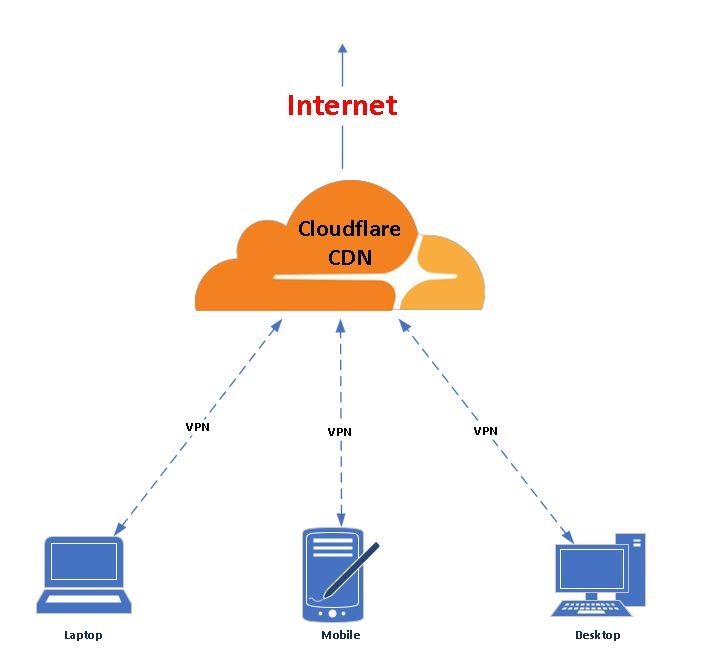
Below is the network design

Solution

    Use a virtual machine or bare metal to install Ubuntu server on it. Ensure to make an IP of 5.5.5.5(as example) on it and to have internet service


    Download Putty from below link, install and open it.
    https://www.chiark.greenend.org.uk/~sgtatham/putty/latest.html

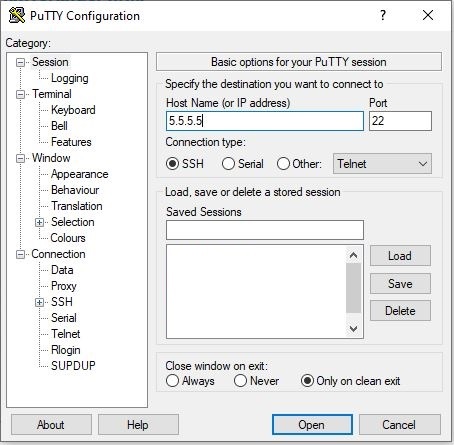
    Will be shown the below table.

    Connect to the ubuntu server with ip 5.5.5.5 with ssh protocol, click > Open, then insert user/pass that has privileged rights


Download and install ViRb3/wgcf utility, which will be used to open an account at Cloudflare WARP, generate the vpn configuration also to use it to connect.
wget https://github.com/ViRb3/wgcf/releases/download/v2.2.19/wgcf_2.2.19_linux_386


Make the file executable
chmod +x ./wgcf_2.2.19_linux_386


Create an Account in Cloudflare WARP
./wgcf_2.2.19_linux_386 register


Generate the Wireguard Configuration
./wgcf_2.2.19_linux_386 generate
--> Below output will be shown
Successfully generated WireGuard profile: wgcf-profile.conf


Check the configuration files generated
# ls
wgcf_2.2.19_linux_386 wgcf-account.toml wgcf-profile.conf

Check the configuration file, so we can use it to connect. You can save it as a .txt or .conf file
more wgcf-profile.conf
[Interface]<
PrivateKey = UN8F/f4DUdS7URzIGgaEsVzcqusq304890324=
Address = 172.16.0.2/32
Address = 2606:4700:110:8a70:e9ff:5a98:a5ee:b3ee/128
DNS = 1.1.1.1
MTU = 1280
[Peer]
PublicKey = bmXOC+F1FxEMF9dyiK2H5/1SUtzH0JuV5837498732=
AllowedIPs = 0.0.0.0/0
AllowedIPs = ::/0
Endpoint = engage.cloudflareclient.com:2408

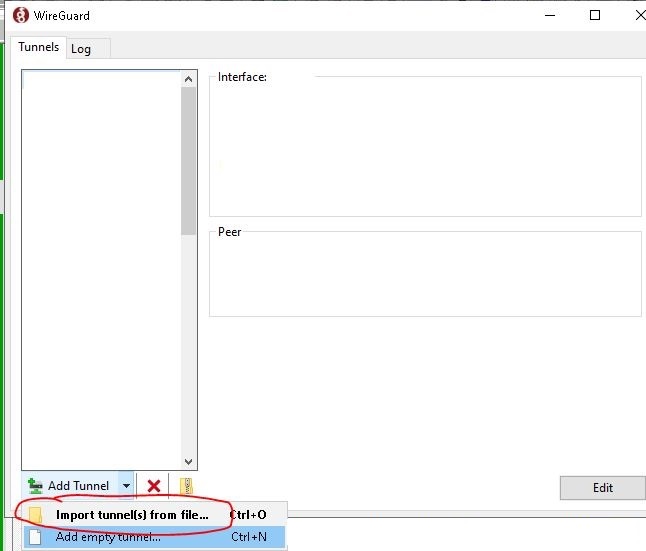
Download Wireguard from official page and import the file
https://www.wireguard.com/install/


Below is shown how to import it


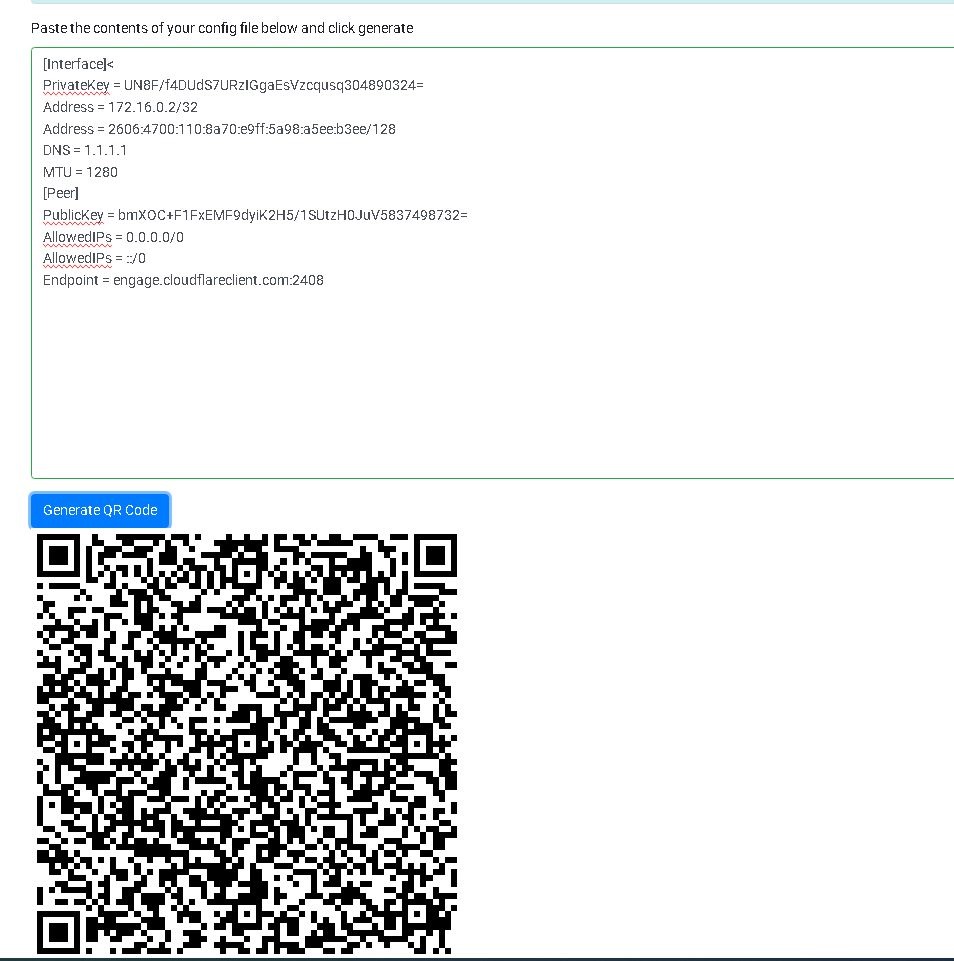
For mobile, to easily add a configuration file, we can generate a QR code. You can copy paste the file and click generate
https://www.wireguardconfig.com/qrcode


Below is shown the QR code generator. You can add the configuration using QR code on Wireguard Application


All Rights Reserved, Ernest Hëna ©2026